Organize with AI.
Execute with Focus.
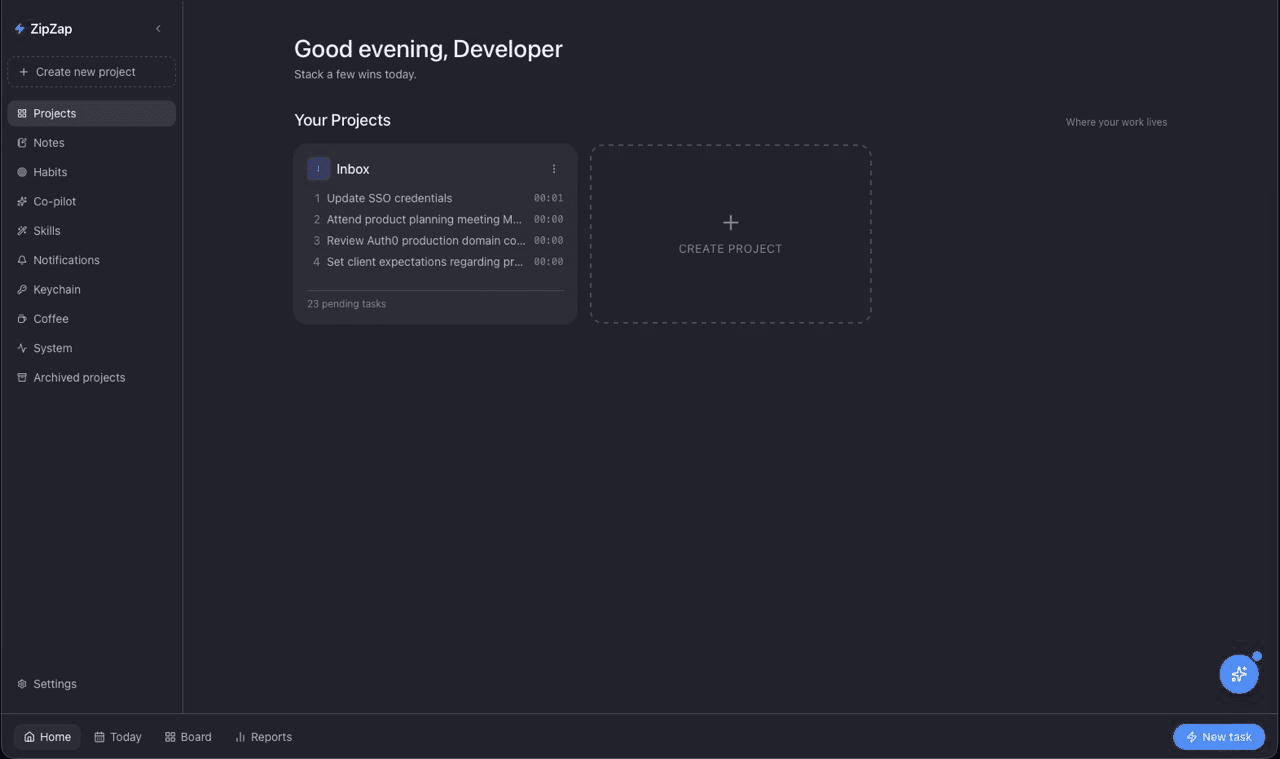
An offline-first desktop companion for multi-project work. Your tasks, notes, and chats live in a local SQLite database on your machine — bring your own AI key, or run it fully on-device with Ollama. Capture anywhere, let the co-pilot structure your day, and use Zap Mode to ship it.
Free for everyone · macOS (Apple Silicon) & Windows (x64)
Everything you need to
crush your day.
ZipZap combines the simplicity of a to-do list with the power of an AI co-pilot, a focus timer, and a notes workspace — all running locally on your Mac or PC.
AI-Powered Entry
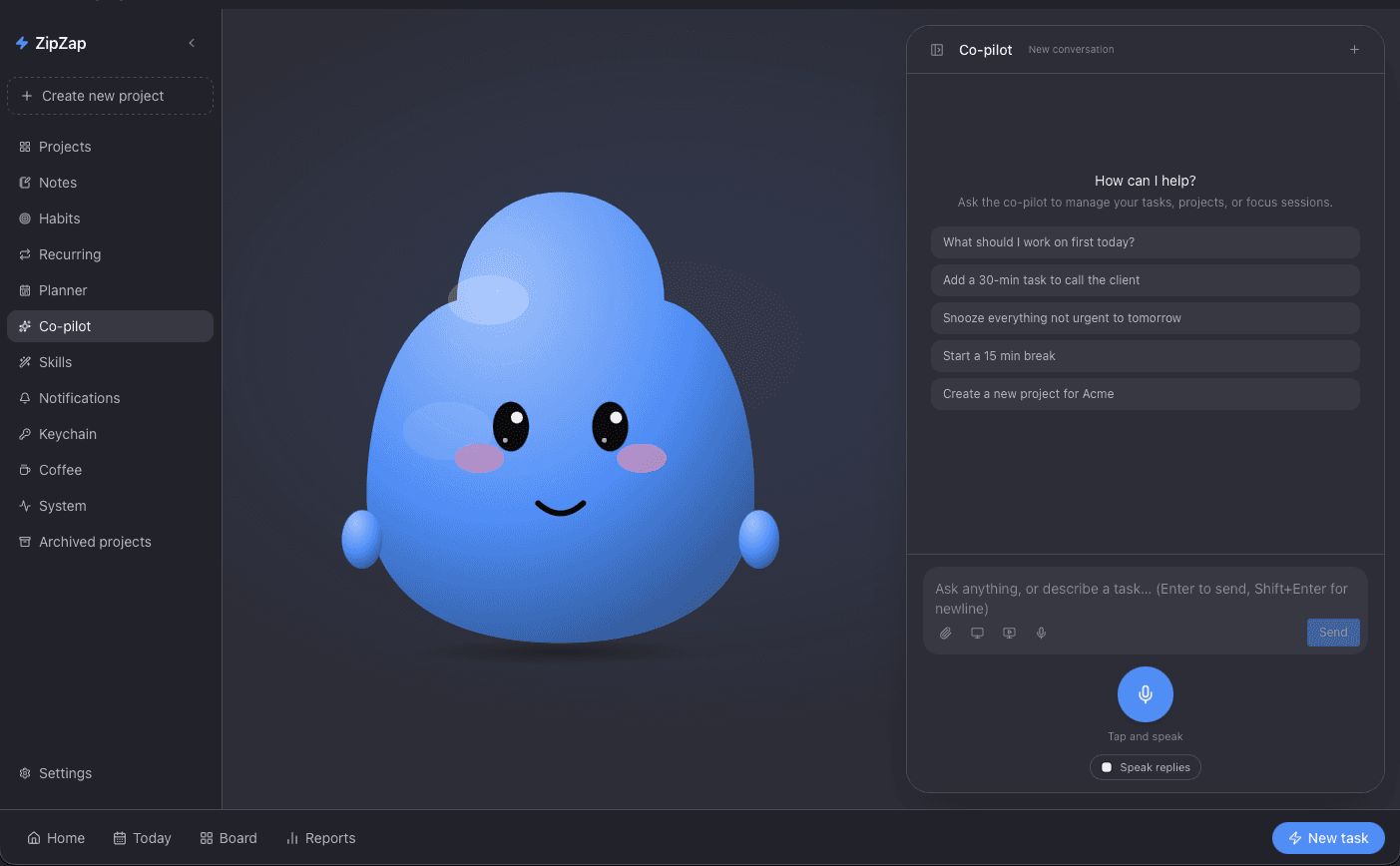
Stop manually filling out forms. Just type natural language like “Meeting with Acme at 2pm on Friday” and your AI co-pilot structures the task, project, priority, and deadline automatically.
ZipZap: ⚡ Added Review Wireframes to New Project tomorrow. Estimated 120m.
Zap Mode
Enter a distraction-free full-screen environment. Burn through your tasks one at a time. The countdown timer keeps you honest and prevents context switching.
Always-on-top Timer
A beautiful, borderless mini-window floats above your work, showing your current task and running time. Pause, complete, or skip without breaking your flow.
Pomodoro Built-in
Work sustainably. Optional integrated Pomodoro cycles trigger breaks automatically to prevent burnout during intense deep work sessions.
Insightful Stats
Track your true productivity. Measure completed tasks, total focus minutes, and estimation accuracy to get better at planning your days.
AI Co-pilot with Skills
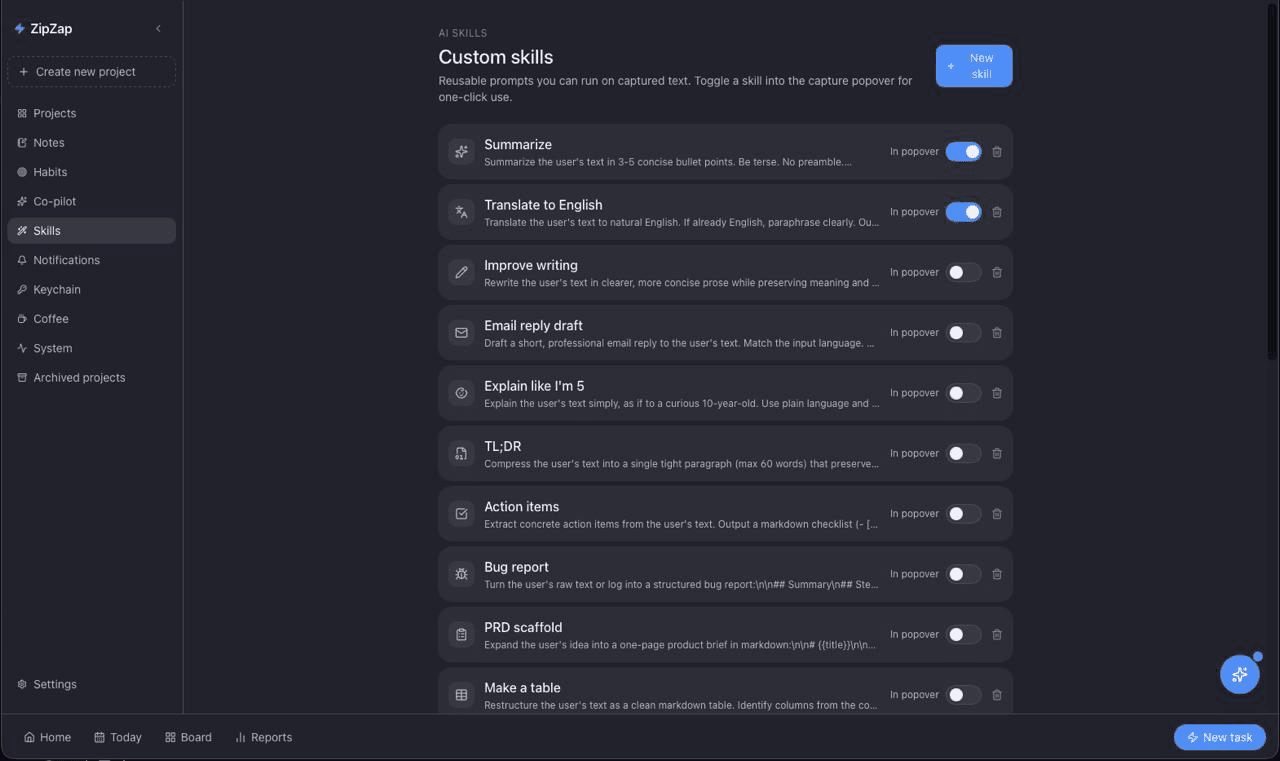
A floating chat with full access to your tasks, notes, and projects. Build your own one-tap Skills — system prompts pinned to the capture popover for repeatable workflows like rewriting, triaging, or summarizing.
Notes Workspace
CodeMirror markdown, slash commands, wiki-links, backlinks, tags, attachments, version history, and a graph view. Linked to tasks so context never gets lost.
Habits & Daily Journal
Track recurring routines with a focus heatmap. Unfinished tasks carry over each morning into a daily journal so nothing slips.
Saved Views & Kanban
Per-project Kanban (Backlog → Today → Done), saved filters, pin-to-top, snooze, bulk actions, and ICS export to your calendar.
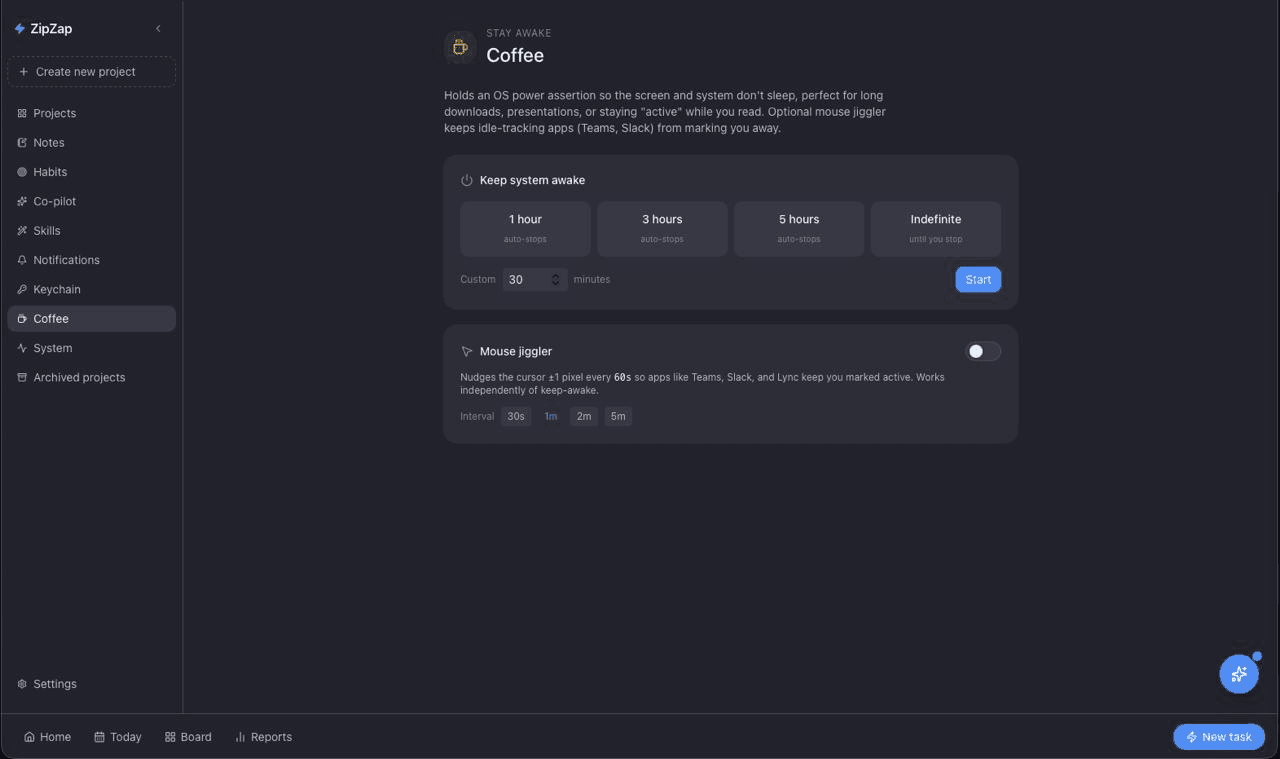
Coffee — Stay Awake
An OS-level power assertion keeps the screen and system awake for long renders, downloads, or reading. Optional mouse jiggler keeps Slack & Teams from marking you idle.
AI Triage & Prioritize
Drop a pile of tasks in and the co-pilot sorts them by urgency, effort, and project context — then proposes a realistic plan for today.
Show the AI your screen
One-click screen capture attaches a screenshot to the co-pilot chat. Multi-monitor picker included — no clipboard round-trip, no leaks.
On-device voice
Piper TTS reads notes and AI replies aloud — entirely on your machine. No cloud round-trip, no API key, no audio ever leaves the device.
System monitor
A built-in dashboard for CPU, RAM, disk, top processes, and (on macOS) temperatures & fans — so you can see what's slowing you down without leaving your task list.
iMessage triage macOS
Read-only sweep of your Messages database (Full Disk Access required) so the co-pilot can surface unanswered threads and turn asks into tasks.
Capture anything.
From anywhere.
A pill-shaped popover lives at your cursor — invisible until you need it. Copy text in any app or hit ⌘⇧' on a selection, and ZipZap pops up with one-tap actions.
- Anchored to your cursorEdge-aware flip so the panel never escapes the screen.
- Auto-show on copyWatches the clipboard so capture is one keystroke away — or zero.
- AI-titled tasks & formatted notesThe AI picks a clean title, routes to the right project, and formats notes as readable markdown.
- Run a Skill, see results instantlyCustom Skills run on the selection and surface in a semi-transparent result window — copy, accept, dismiss.
A workspace that
remembers context.
Markdown notes with everything you'd expect from a modern editor — and a few things you wouldn't. Every note is searchable, linkable, and connected to the tasks it spawned.
Your work stays on
your machine.
No mandatory account. No sync server. No telemetry pipeline. ZipZap stores everything in a local SQLite database — and you choose whether the AI runs in the cloud or fully on-device.
Local SQLite, FTS5 search
Tasks, notes, habits, projects — all in a single SQLite file you can back up, sync, or inspect. Native full-text search means results are instant.
Keys in the OS keychain
AI API keys live in Apple Keychain / Windows Credential Manager — never in plain-text config files. Add or rotate them from Settings → Keychain.
Run the AI on-device
Point ZipZap at a local Ollama server and your conversations never leave the box. Or bring a Gemini, OpenAI, or Anthropic key — it's your call.
Pull context from
the apps you live in.
Sign into Slack, Discord, Gmail, Jira, LinkedIn, Telegram, or WhatsApp Web inside ZipZap. Each account gets its own isolated webview with its own cookie jar — so “Personal Slack” and “Acme Slack” never bleed into each other.
- Multiple accounts per providerOpen three Slack workspaces side-by-side. Each one runs in its own cookie jar — no “sign in with a different account” dance.
- Scoped to a projectLink an account to a ZipZap project so the co-pilot can answer “what's happening in Acme's Slack” without touching the others.
- No tokens, no scraping APIsYou sign in directly to the real web app. ZipZap watches the page for new messages — no third-party API key, no permission grant to a bot.
The ZipZap Loop
A simple but ruthless methodology for getting things done.
Capture anywhere
Copy from Slack, email, a doc — or hit ⌘⇧'. The popover appears at your cursor with one-tap actions: task, note, or run a Skill.
AI structures it
The AI extracts a clean title, picks the right project, sets an estimate and priority, and formats notes as readable markdown.
Plan the day
Drag your ‘Today’ list into priority order. Or open the per-project Kanban and pull from Backlog → Today.
Enter Zap Mode
Hit ⌘⇧B. Full-screen, one task at a time, always-on-top timer floating above your work. Pomodoro breaks built in.
Stop managing tasks.
Start doing them.
Native performance. Offline-first by default. Your AI, your machine, your data.
macOS (Apple Silicon) · Windows (x64)